Custom Team Jersey Roster Checklist: Names, Numbers and Sizes
A custom jersey order can have an approved design and still fail at the last step: personalization. One misspelled display name, duplicated number, omitted pants size or ambiguous “medium” can force a remake, delay distribution and create a difficult conversation with the team.
The solution is not a longer email chain. It is one controlled roster file with defined fields, standardized entries, a named approver and a clear cutoff. This guide gives you that system. It also explains why the same name and number artwork should not simply be copied at one fixed size across youth, adult, women’s and extended-size jerseys.
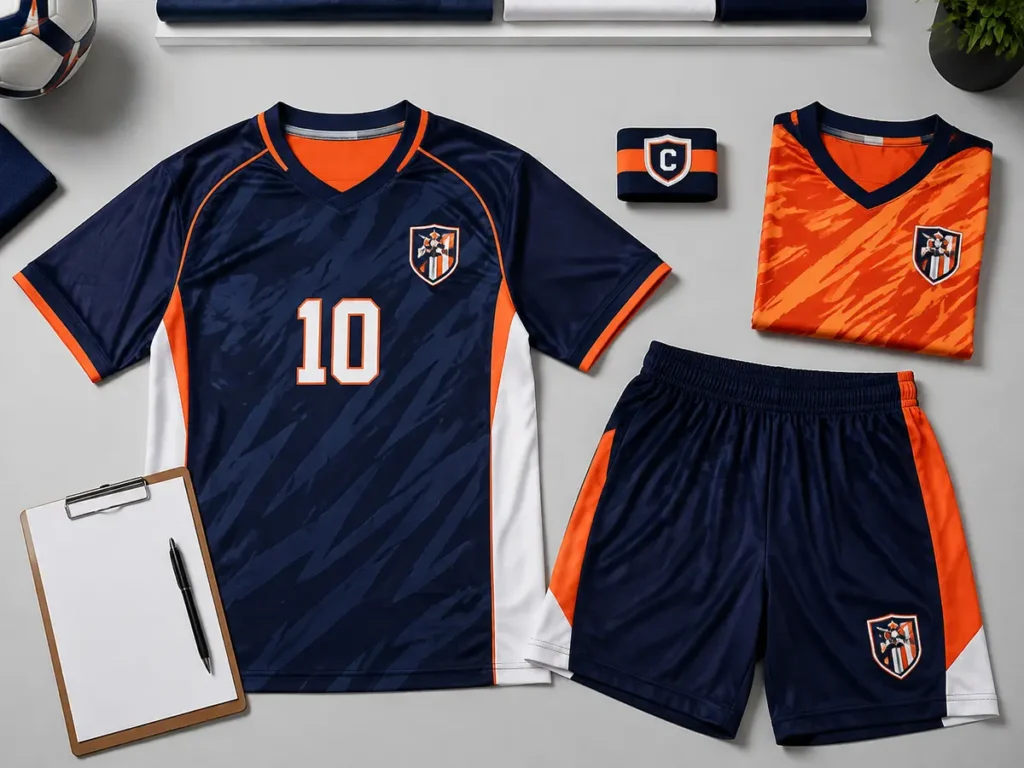
A production-ready team jersey roster should contain nine required fields: Player Name, Display Name, Number, Jersey Size, Pants/Shorts Size, Youth/Adult, Fit, Captain Mark and Special Notes. Use one row per player, preserve leading zeros as text, separate youth from adult sizing, and require the team contact to approve the normalized roster and size-specific mockups before production. Names and numbers should be scaled to each garment’s usable print area so they do not touch the collar, shoulder seams, side seams, mesh panels or a baseball jersey’s button placket.
Copyable custom team jersey roster template
Copy the table below into Google Sheets, Excel or your order-management system. Do not merge cells. Keep every player on one row. If a field does not apply, enter “N/A” rather than leaving a meaningful field unclear. Blank sample rows are intentionally provided.
| Player Name | Display Name | Number | Jersey Size | Pants/Shorts Size | Youth/Adult | Fit | Captain Mark | Special Notes |
| Example: Jordan Lee | LEE | ’07 | Adult M | Adult M | Adult | Unisex/Regular | No | Goalkeeper alternate: No |
Important spreadsheet setting:Format the Number column as plain text before entering data. Otherwise, spreadsheet software may change 00 or 07 to 0 or 7. The apostrophe in the example forces a leading zero to remain visible; confirm with your supplier whether the apostrophe should be removed in the final production file.
What each roster field means
| Field | What to enter | Error prevented |
|---|---|---|
| Player Name | The person’s full legal or administrative name for internal identification. This is not automatically printed. | Confusing two players who use the same surname or nickname. |
| Display Name | The exact characters to print, including spaces, hyphens, accents and capitalization. Use “NO NAME” if the jersey intentionally has no name. | Printing the wrong spelling, case or nickname. |
| Number | The exact front/back/sleeve number. Preserve 00 and leading zeros. Confirm whether single digits should include a zero. | Duplicate, reformatted or inconsistent numbers. |
| Jersey Size | A complete supplier size label such as Youth L, Adult M or Women’s XL—not “L” alone. | Mixing youth and adult garments or different size systems. |
| Pants/Shorts Size | The separate bottom size. Do not assume it equals the jersey size. | Incorrect uniform sets for players with different top and bottom sizes. |
| Youth/Adult | Youth or Adult, even when it repeats part of the size field. | Ambiguous size abbreviations and sorting errors. |
| Fit | The supplier’s approved fit name: unisex/regular, women’s, relaxed, compression or other agreed option. | Producing the right nominal size in the wrong cut. |
| Captain Mark | Yes/No plus location and style if required. For multiple leadership marks, describe each clearly. | Missing or applying a captain mark to the wrong player. |
| Special Notes | Goalkeeper color, long sleeve, accessibility need, alternate style, sponsor variation or other player-specific exception. | Exceptions hidden in email threads or chat messages. |
Player Name and Display Name must remain separate
“Player Name” helps the buyer and supplier identify who owns the row. “Display Name” is production data. A player named Alexandra Thompson might request THOMPSON, A. THOMPSON, ALEX or no name at all. If the factory is expected to infer the printed name from the administrative name, the chance of an avoidable error increases.
Enter the display name exactly as it should appear. Decide whether the design uses uppercase, title case or a font that visually converts lowercase letters. Record apostrophes, periods, accents and hyphens deliberately. Before using non-English characters, confirm that the approved production font contains those glyphs; otherwise the designer may need outlined artwork or an approved substitute.
Treat jersey numbers as identifiers, not ordinary numbers
A roster number may contain leading zeros and therefore behaves more like a code than a mathematical value. Use a text-formatted column. Run a duplicate check within each squad and, where relevant, within each goalkeeper or alternate group. If two teams share an order, include an additional “Team/Squad” field so the same number can be valid in separate teams without triggering a false error.
Record size system and fit—not only the letter
Youth L, Adult L and Women’s L are not interchangeable. Neither are two suppliers’ size labels. Use the selected product’s current size chart and measure players according to its instructions. If an order includes two jersey styles, record the product/style code in an extra column and validate sizes against the correct chart for each style.
Ten checks before sending the roster to production
- Count rows against the purchase quantity. Exclude the header and clearly identify coach, spare and sample garments.
- Find blank required cells. Filter each of the nine required columns. Replace intentional blanks with N/A or an agreed code.
- Check display names character by character. Ask players or guardians to verify the exact printed version.
- Highlight duplicate numbers. Confirm whether each duplication is allowed in different squads; never silently renumber a player.
- Preserve leading zeros. Compare the raw spreadsheet value with the displayed cell.
- Standardize size vocabulary. Convert “adult medium,” “AM” and “M adult” into one approved format, such as Adult M.
- Confirm top and bottom sizes separately. Do not autofill pants or shorts from the jersey size unless the team explicitly ordered fixed sets.
- Validate fit against available patterns. Remove buyer-created fit labels that do not map to the supplier’s product options.
- Review every special note. Convert any note that changes design, color, sleeve length or garment style into an approved production instruction.
- Lock a final version. Add a revision number and date, restrict editing, and identify one authorized approver.
For larger or repeat orders, add Row ID, Team/Squad, Product Code, Garment Color, Quantity, Approval Status, Revision Date and Approver. These are administrative controls rather than player details, but they make version comparison and reorders far safer.
Why names and numbers must scale with jersey size
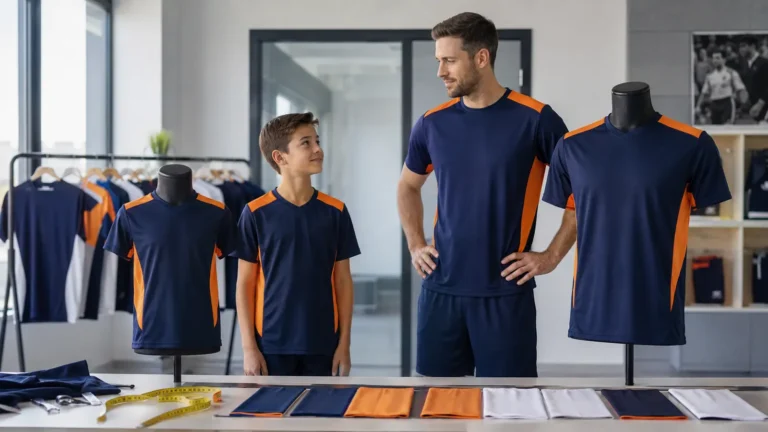
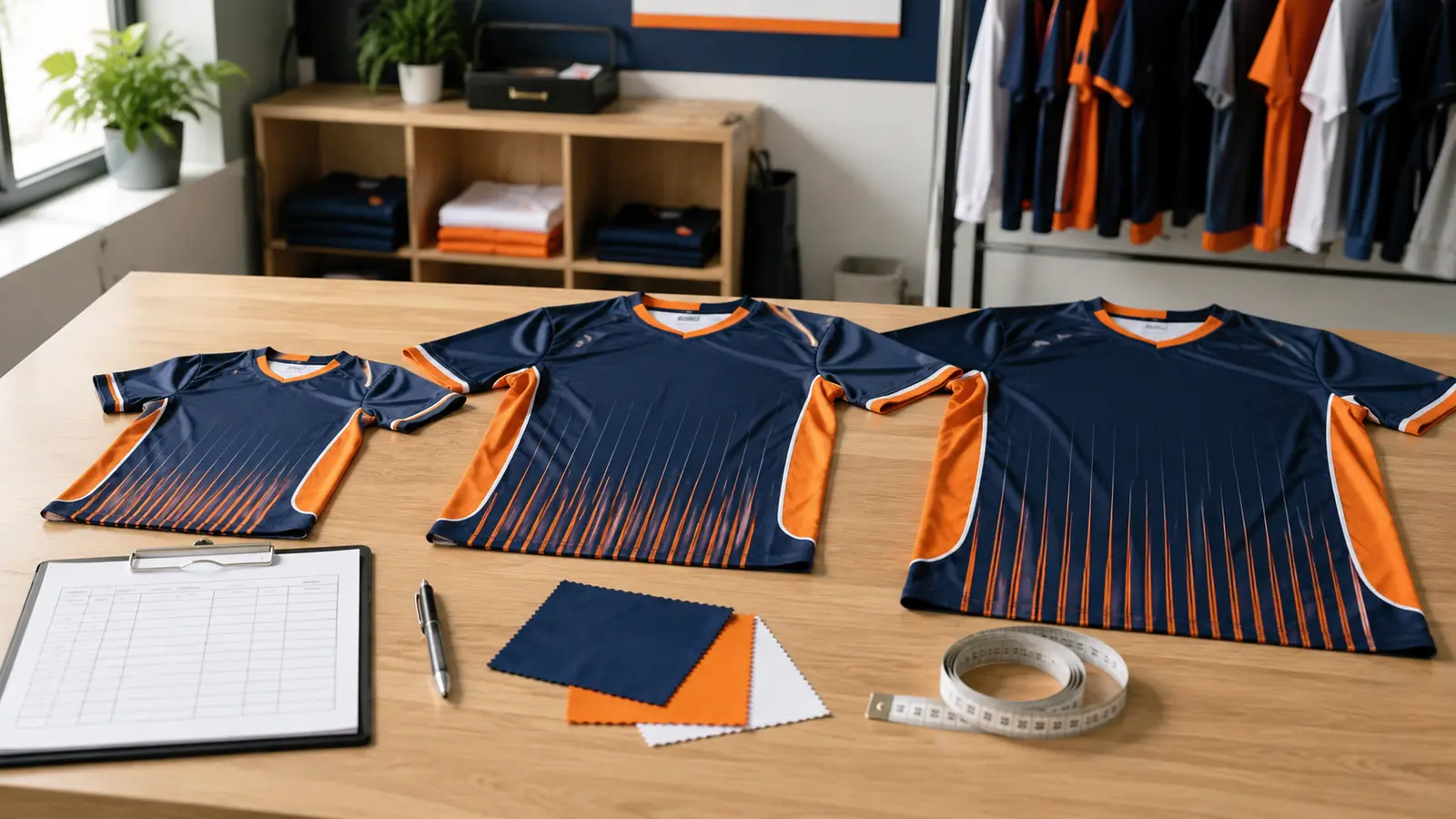
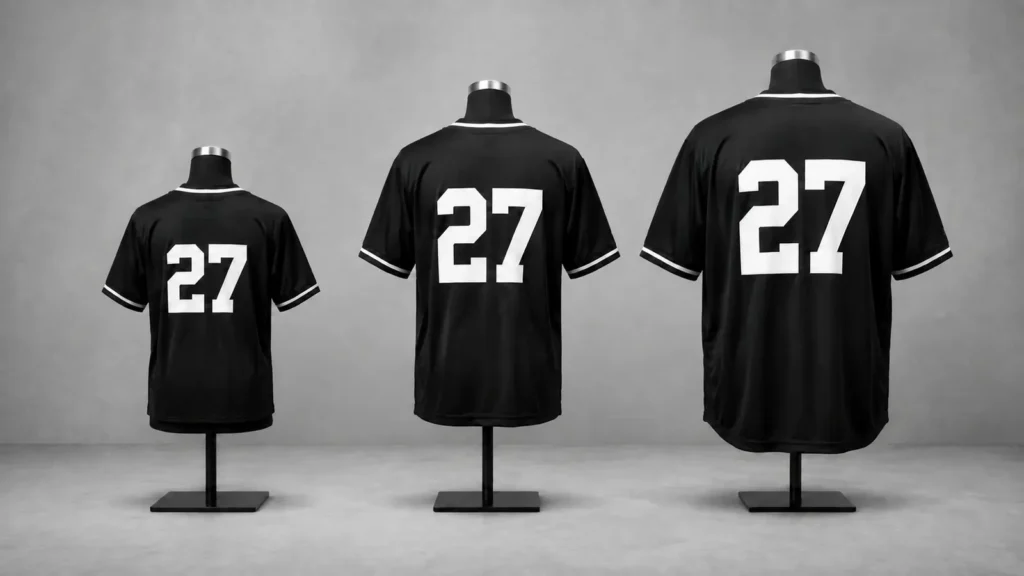
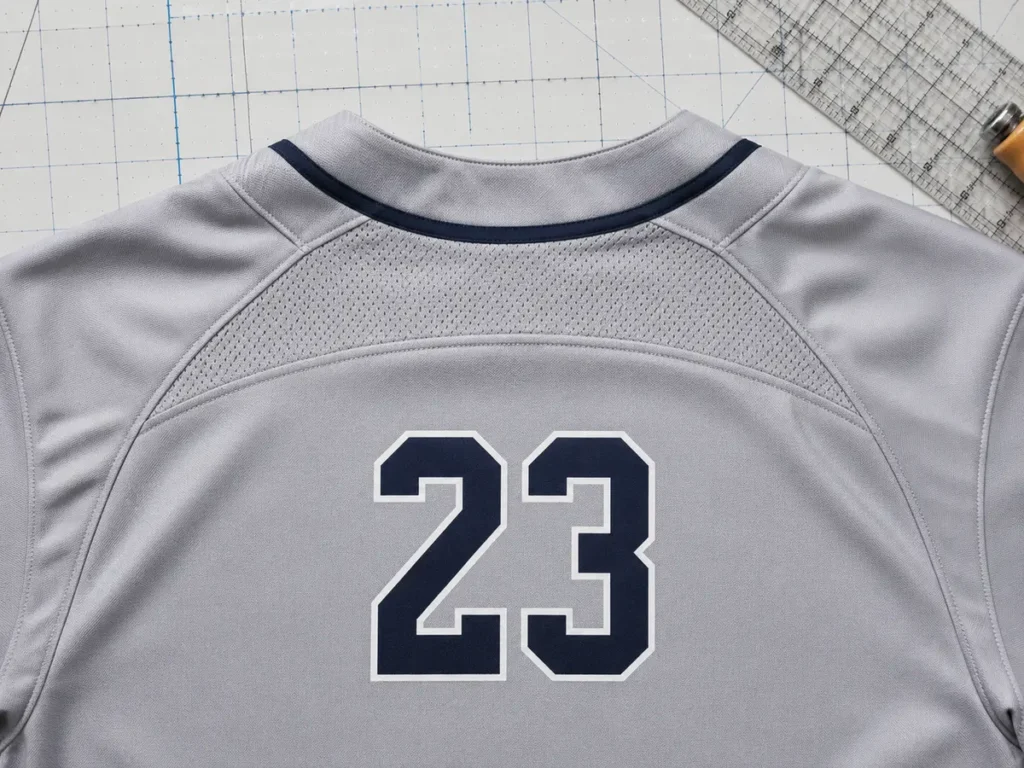
A jersey’s labeled size does not describe its entire printable area. Youth garments have shorter torsos and narrower shoulders. Women’s or athletic fits may taper. Extended sizes create a larger visual field. Raglan seams, yokes, ventilation panels, collars and armholes further reduce the safe area. If one artwork template is enlarged or reduced as a single object, the printed result can become cramped on small sizes and under-scaled on large sizes.
A practical production system uses size brackets or individual garment templates. The designer first defines the usable print area for the specific jersey pattern. The name and number are then centered within that area, with safe clearance from construction lines. The visual relationship between the name, number and garment is preserved, but exact dimensions may change.
Use reference dimensions as a starting point, not a universal rule
Published production guides often show smaller name and number dimensions for youth jerseys and larger dimensions for adult jerseys. For example, Wooter’s jersey-sizing guide discusses roughly 2-inch youth names and 6-inch youth numbers versus larger adult treatments, along with clearance from collars, seams and panels. It also notes sport-specific differences and special issues such as button-front baseball jerseys. These figures are useful for early planning, but the final specification should follow the team’s league rules, the supplier’s actual pattern and an approved full-scale proof. See the name and number sizing reference.
| Garment group | Common layout risk | Recommended design response |
|---|---|---|
| Youth sizes | Name touches shoulder seams; number crowds hem or waistband. | Use a smaller size bracket, compress vertical spacing carefully and test the smallest ordered size. |
| Adult regular sizes | One-size artwork looks acceptable in M but drifts in XS or XL. | Approve representative small, medium and large mockups rather than only one base size. |
| Women’s/tapered fit | Wide names wrap toward curved side or shoulder seams. | Use a narrower name treatment and verify the specific women’s pattern. |
| 2XL and above | Standard number appears visually undersized. | Scale proportionally within the safe area; do not stretch only the width. |
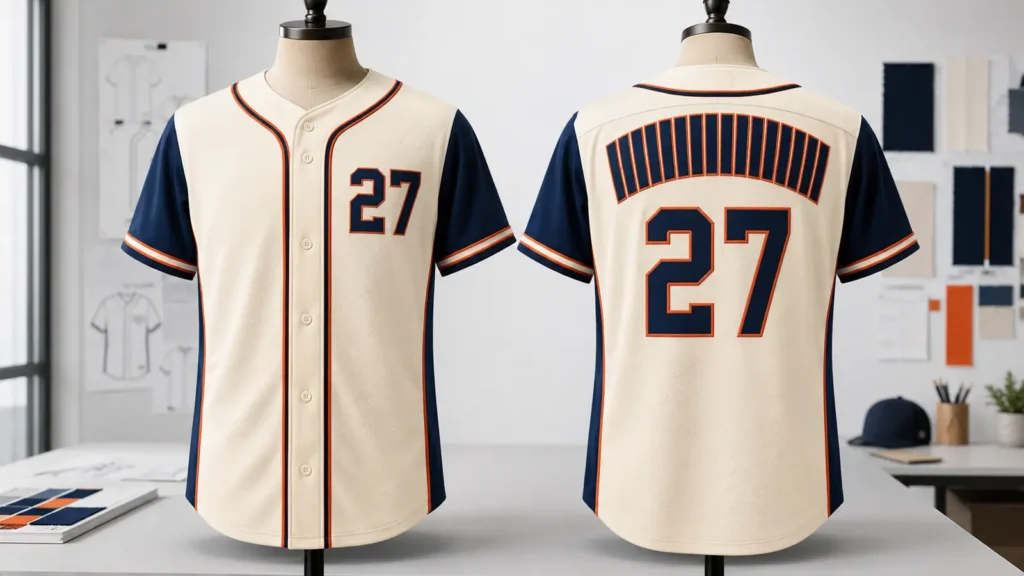
| Button-front baseball | Front number is split or distorted by the placket. | Approve an offset or size-adjusted front number based on the garment design. |
| Paneled or mesh jersey | Characters cross seams or ventilation zones. | Center within the usable panel, not the total garment width. |
Long names need a defined handling rule
Do not let each production operator decide how to fit an unusually long name. Agree on an order of operations: first reduce tracking within the font’s legible range; then use a manufacturer-approved condensed font or slightly reduce character height; then consider a two-line treatment only if the sport and design allow it. Avoid horizontally squeezing letters until their stroke shapes become inconsistent with the rest of the team.
Short and long names do not need identical total width, but they should share the same baseline, visual weight and safe zone. Ask to see the shortest and longest display names on representative sizes before approving the full roster.
Prepare roster data for international production
Use a modern spreadsheet format and keep one language convention for status fields. A roster can contain names from many languages, but operational values such as Youth/Adult, Yes/No and fit should come from controlled dropdowns so they can be filtered consistently. Avoid screenshots, scanned handwriting and colored cells as the only way to communicate an instruction; those formats are difficult to import, compare and audit.
Confirm how the supplier handles accented characters, non-Latin scripts and fonts. A name that appears correctly in a spreadsheet may not exist in the chosen display font. The safest process is to preserve the original characters in the roster, flag the row, then approve the actual outlined artwork. Do not transliterate or remove accents without the player or team’s authorization.
Keep personal data proportionate to the task. The production roster normally needs identification, personalization and size information—not a player’s birth date, home address or unrelated contact details. Limit access to people involved in ordering and production, use the roster only for the agreed order, and follow the buyer organization’s data-retention rules. If a youth team is involved, the team or school should control consent and data collection.
Roster approval workflow for bulk jersey orders
Issue one protected template. The buyer sends a clean sheet with approved dropdown values for Youth/Adult, Fit and Captain Mark. Players should not create separate files.
Collect and normalize data. One team coordinator combines entries, standardizes size labels and resolves blank or contradictory fields.
Run automated and manual checks. Use spreadsheet rules for duplicates and blanks, then manually review spelling, exceptions and quantities.
Supplier preflight. The supplier maps sizes and fits to product patterns, flags unsupported characters or options, and confirms the production quantity.
Approve representative layouts. Review the smallest, base and largest sizes, plus the longest name, shortest name, single digit, double digit, leading zero and any captain or alternate garment.
Freeze roster revision. Both parties reference the same filename, revision and approval date. Later changes require a new revision and written confirmation of cost or schedule impact.
Generate production data. Variable names, numbers and size mappings are created from the locked file; operators should not retype data from emails.
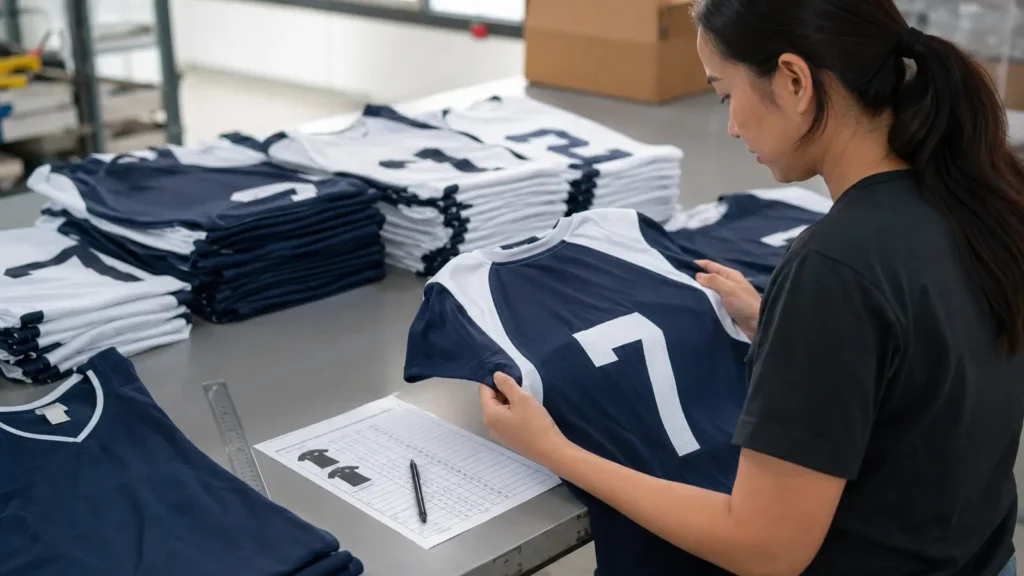
Inspect and pack by roster. Finished pieces are checked for spelling, number, size, fit and special marks, then bagged or sorted using the agreed row ID.
Planning a mixed-size custom jersey order?
Send JIUMU your sport, jersey style, quantity, youth/adult size range, fit options, logo files, roster spreadsheet, packaging requirements and target delivery date. We can review the personalization data before you approve production. Explore custom team jerseys or Request a quotation.
What the buyer must approve on the proof
A roster is not a substitute for a visual proof. The final review should connect the data to the actual product. Ask for enough views and size variants to confirm the following:
- Display name spelling, capitalization, punctuation and font treatment
- Front, back, sleeve and shorts number consistency
- Number color, outline, stroke weight and contrast against the background
- Clearance from collar, shoulder seam, yoke, side seam, mesh panel and hem
- Name-to-number gap and overall vertical balance
- Placement around a zipper or button placket
- Captain mark, sponsor variation, goalkeeper color and alternate style
- Smallest and largest garment-size layouts
- Whether long names use condensed, reduced or alternate treatment
Review proofs at a useful scale. A thumbnail can hide thin outlines, poor contrast and collisions. For complex sublimated graphics, check whether patterns pass behind names and numbers in a way that reduces legibility. If schedule and budget allow, a physical sample in a representative size can validate color, placement and the way the layout behaves on a worn garment.
How to handle late roster changes
Set a roster cutoff before production. After approval, classify any requested edit as one of three statuses: not yet released and changeable; released but potentially changeable with a fee or delay; or already produced and requiring a remake. The supplier should confirm the status before the buyer assumes a message has changed the order.
Never overwrite the approved file. Create a new version such as Falcons-U14-Roster-R03-2026-08-18.xlsx, highlight changed cells and include a short change log. The approver should confirm the entire new revision, not only the edited cell, because a re-sort or copied formula can affect other rows.
Final quality-control and packing checklist
| Inspection point | Method | Release condition |
|---|---|---|
| Quantity | Count completed garments by product, color, fit and size. | Matches purchase order and locked roster, including spares. |
| Names | Read each finished display name against the roster row. | Characters, order, case and punctuation match approval. |
| Numbers | Compare all number locations; scan for duplicates or swapped pieces. | Every location matches the assigned row and approved format. |
| Sizes and fits | Check sewn label/product marker and group by Youth/Adult and fit. | Each row receives the correct garment pattern and size. |
| Placement | Compare representative garments to approved artwork and safe zones. | No unintended collision with collar, seams, panels or placket. |
| Special instructions | Filter roster for Yes/notes and isolate those garments. | All captain marks, alternates and exceptions are present. |
| Packing | Match bag label or sorting code to roster Row ID. | The team can distribute items without reopening every package. |
Common roster mistakes—and the better rule
Mistake: collecting orders in group chat. Better rule: chat may answer questions, but only the controlled roster changes production data.
Mistake: one “Size” column for a uniform set. Better rule: separate jersey and pants/shorts sizes, then add fit and age system.
Mistake: assuming the designer will correct spelling. Better rule: display names are supplied and approved by the team; the supplier flags obvious anomalies without guessing.
Mistake: approving only Adult M. Better rule: approve edge cases—the smallest and largest sizes, long names, leading zeros, single digits and special garments.
Mistake: applying fixed artwork dimensions to every size. Better rule: preserve visual hierarchy while adjusting to each size bracket’s usable print area.
Mistake: accepting “latest version” as a filename. Better rule: use revision number, date and named approver.
Questions to ask your jersey supplier
- Which roster file format do you prefer, and will production data be imported or retyped?
- What exact Youth/Adult and fit labels should we use?
- How do you preserve leading zeros and special characters?
- Do you create separate templates or size brackets for youth, women’s and extended sizes?
- Which garment seams, panels, zippers or plackets limit the printable area?
- Can we approve representative size mockups and edge-case names before production?
- What is the cutoff for roster changes, and how are post-approval changes handled?
- Does final inspection match every finished piece to the locked roster?
- Can individual bags be labeled or sorted by player, row ID, size or team?
- What files and information are required to quote the complete order?
How JIUMU supports custom teamwear orders
JIUMU supplies B2B custom teamwear and logo apparel for schools, sports clubs, distributors, uniform dealers, promotional buyers and private-label brands. Available development and decoration capabilities include digital mockups, physical samples, sublimation, embroidery, screen printing, heat transfer, private labels, Pantone color matching and customized packaging, subject to the selected product and approved specification.
For a quotation, share your reference image or tech pack, sport, product style, quantity, color requirements, logo artwork, complete size range, roster structure, packaging and target delivery date. JIUMU’s typical MOQ is 50 pieces, subject to product structure and customization. The order should proceed from a confirmed specification and approved roster rather than an assumed standard.
Frequently Asked Questions
Final recommendation
Use one structured roster as the single source of truth, keep administrative and printed names separate, treat numbers as text, record complete size systems and fits, and approve edge-case layouts across the ordered size range. The spreadsheet controls what is produced; size-specific artwork controls how it fits the garment. Together, they prevent most name, number and size errors before they become remakes.
Request a roster and artwork preflight
Email your roster, reference design, quantity, size range, logo files, packaging needs and target delivery date to zhengdong@jiumugear.com, or contact JIUMU by WhatsApp/phone at +86 18507502899. Send your project details or View uniform package.